Folio
I designed a client portal built around relationships, not documents. By organizing everything around the client—not scattered across tools—freelancers look professional and spend 60% less time on admin.
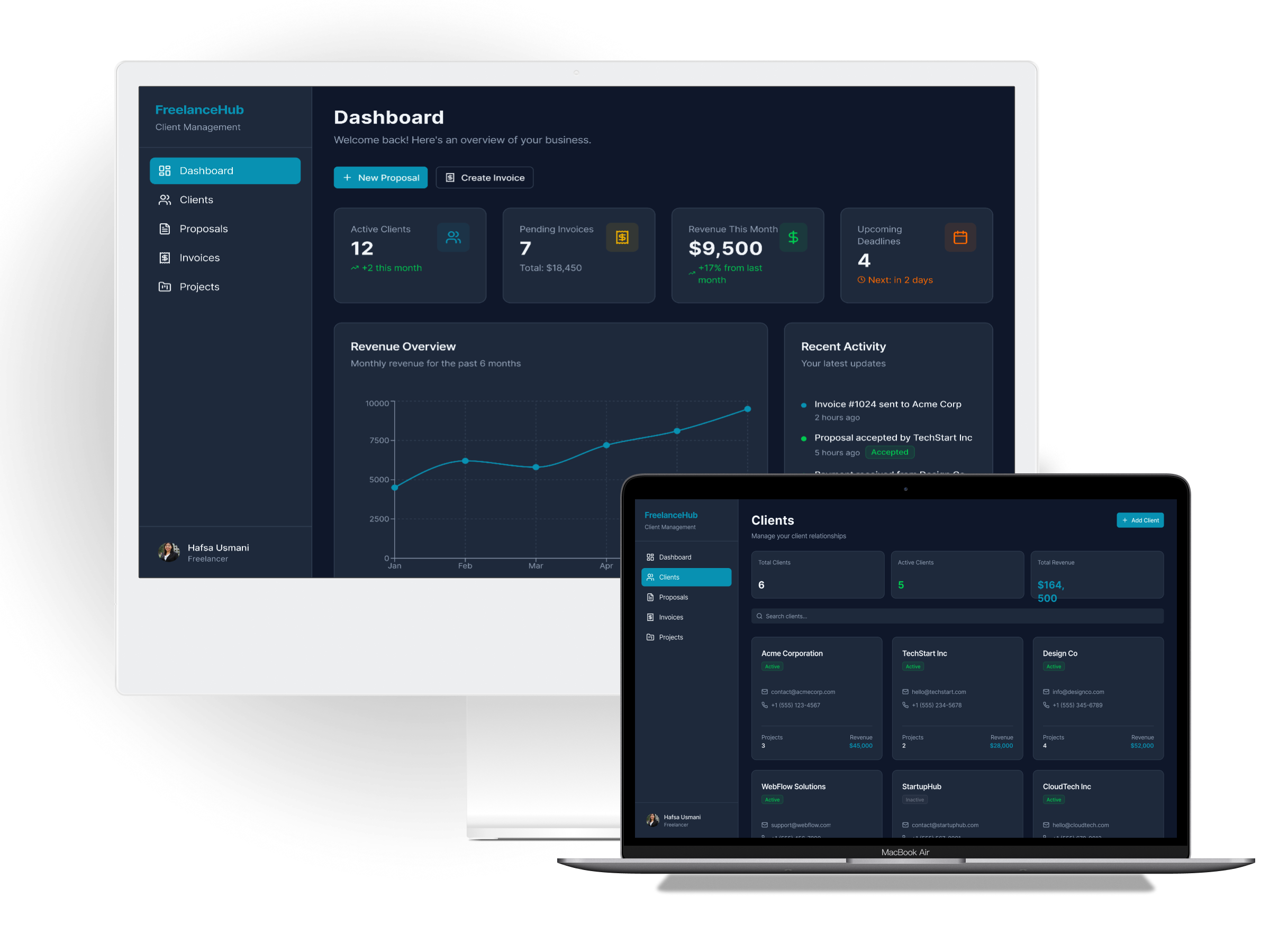
The Challenge
Freelancers waste hours every week on admin work that doesn't pay: writing proposals, chasing invoices, updating spreadsheets, and searching through email threads.
The tools exist—but they're fragmented. Notion for projects, PayPal for invoices, email for communication, Google Docs for proposals. No single source of truth.
Design a unified client portal that connects the entire freelancer workflow—from first proposal to final payment—so independent professionals can spend less time on admin and more time on work that matters.
What Makes This Different
- Invoices in one app
- Proposals in another
- Projects somewhere else
- Messages in email
Freelancers search across 4+ tools to find client info
- Everything organized by client
- One tap = complete history
- Context always visible
- Professional presentation
One source of truth per relationship
"Stop managing documents. Start understanding clients."
Understanding Freelancers
I interviewed 8 freelancers across design, development, and consulting to understand their workflows, pain points, and current tool stack.
Scattered Information
100% of freelancers used 4+ tools to manage client work. Finding information meant searching across multiple apps.
Payment Anxiety
Late payments were the #1 frustration. Freelancers felt awkward sending reminders and often waited too long.
Professionalism Matters
Freelancers wanted to look "legit" to clients. Sloppy invoices or disorganized communication hurt their brand.
User Personas

Maya Chen
Freelance UX Designer 4 years freelancing, 5-8 active clientsGoals
- Spend less time on proposals and invoices
- Look professional to clients
- Get paid faster
Frustrations
- Scattered tools: email, Notion, PayPal, Google Docs
- Loses track of project status across clients
- Chasing payments is awkward and time-consuming

Jordan Ellis
Web Development Consultant 8 years experience, premium clientsGoals
- Maintain premium brand perception
- Automate repetitive admin tasks
- Clear visibility into revenue pipeline
Frustrations
- Current tools don't match his brand quality
- No single source of truth per client
- Tax season is a nightmare of scattered records
Design Principles
Based on research insights, I established four principles to guide every design decision:
Client-Centric Architecture
Everything organized around the client relationship—not around document types. One tap to see all history, communications, and financials for any client.
Professional by Default
Every proposal, invoice, and message reflects the freelancer's brand. Clean templates that make independents look like established agencies.
Reduce Friction to Payment
One-click invoicing, automatic reminders, and integrated payments. The faster freelancers get paid, the more they trust the tool.
Power Without Complexity
Advanced features for power users (keyboard shortcuts, bulk actions, templates) without overwhelming newcomers.
Information Architecture
The key insight was organizing everything around client relationships, not document types. Traditional tools separate invoices, proposals, and projects, but freelancers think in terms of clients.
The client sits at the center of the architecture. All documents, projects, and communications flow to and from this single point of reference, making it easy to see the complete history with any client at a glance.
Key Screens
The core experience centers on five key screens that cover the complete freelancer workflow:
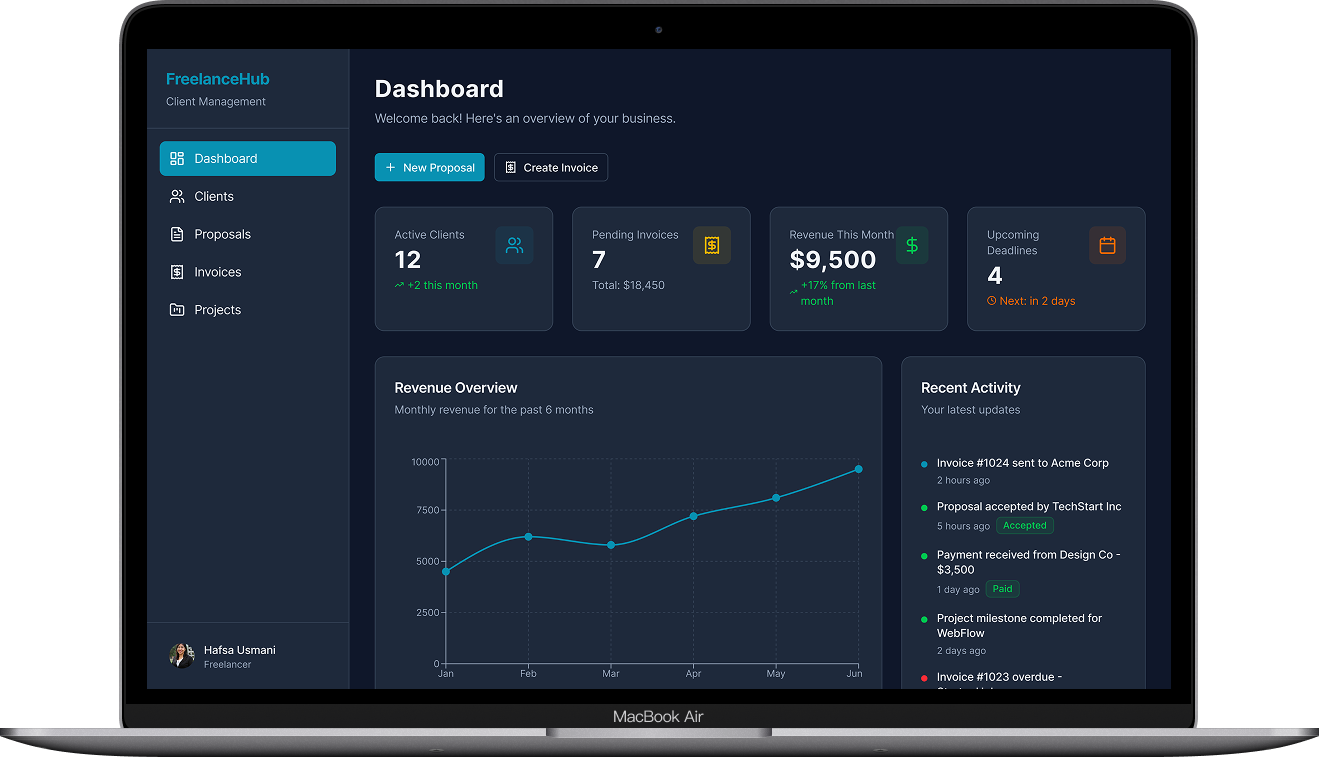
Dashboard
At-a-glance view of active projects, revenue metrics, upcoming deadlines, and items needing attention. Quick actions surface the most common tasks.
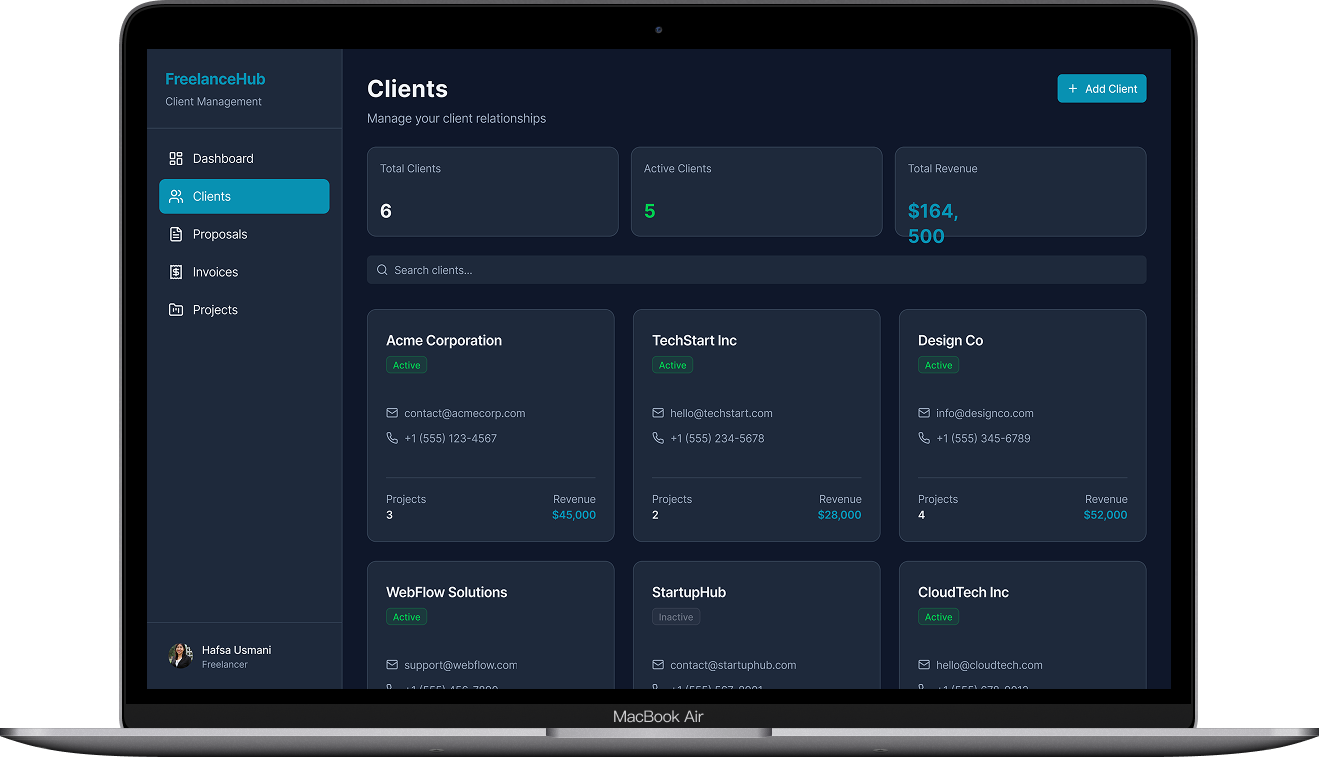
Client Profile
Single source of truth for each client relationship: contact info, project history, total revenue, and complete communication timeline.
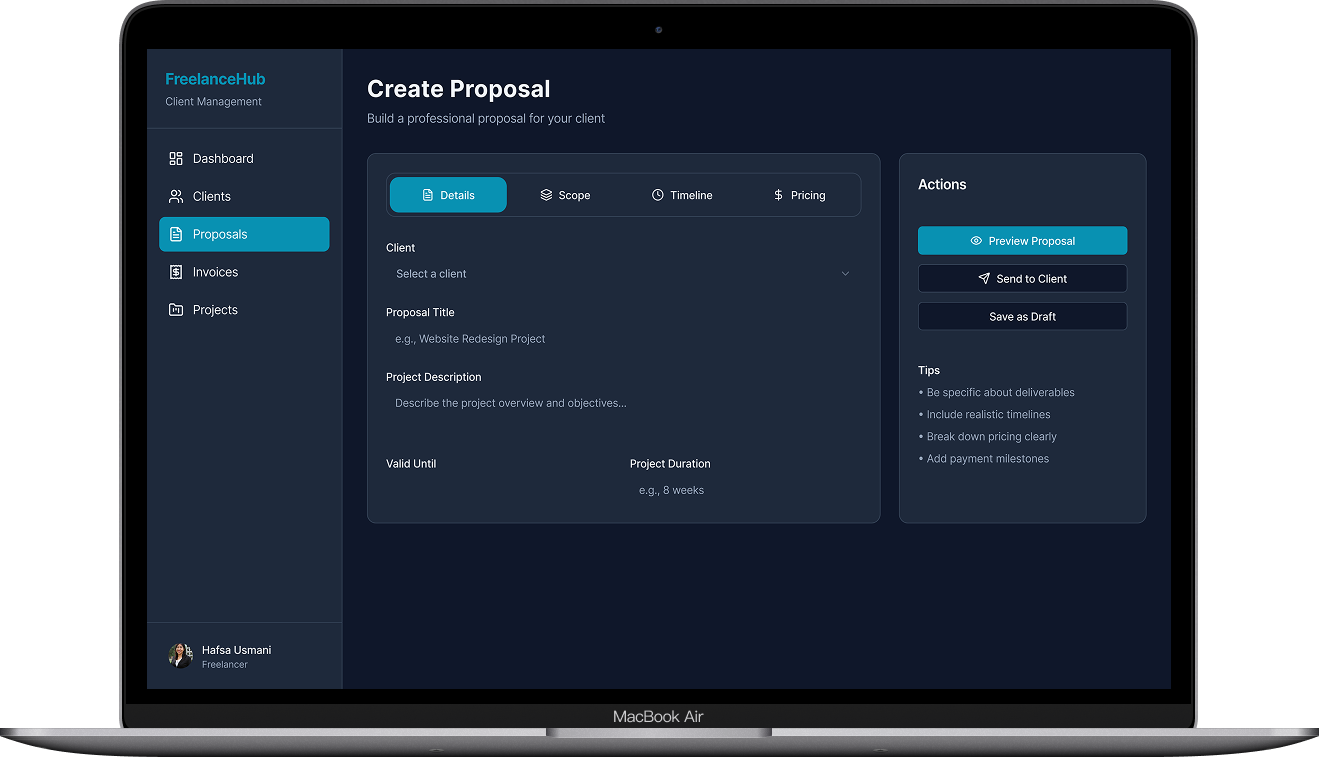
Proposal Builder
Drag-and-drop blocks for scope, timeline, and pricing. Live preview shows exactly what clients will see. One click to send.
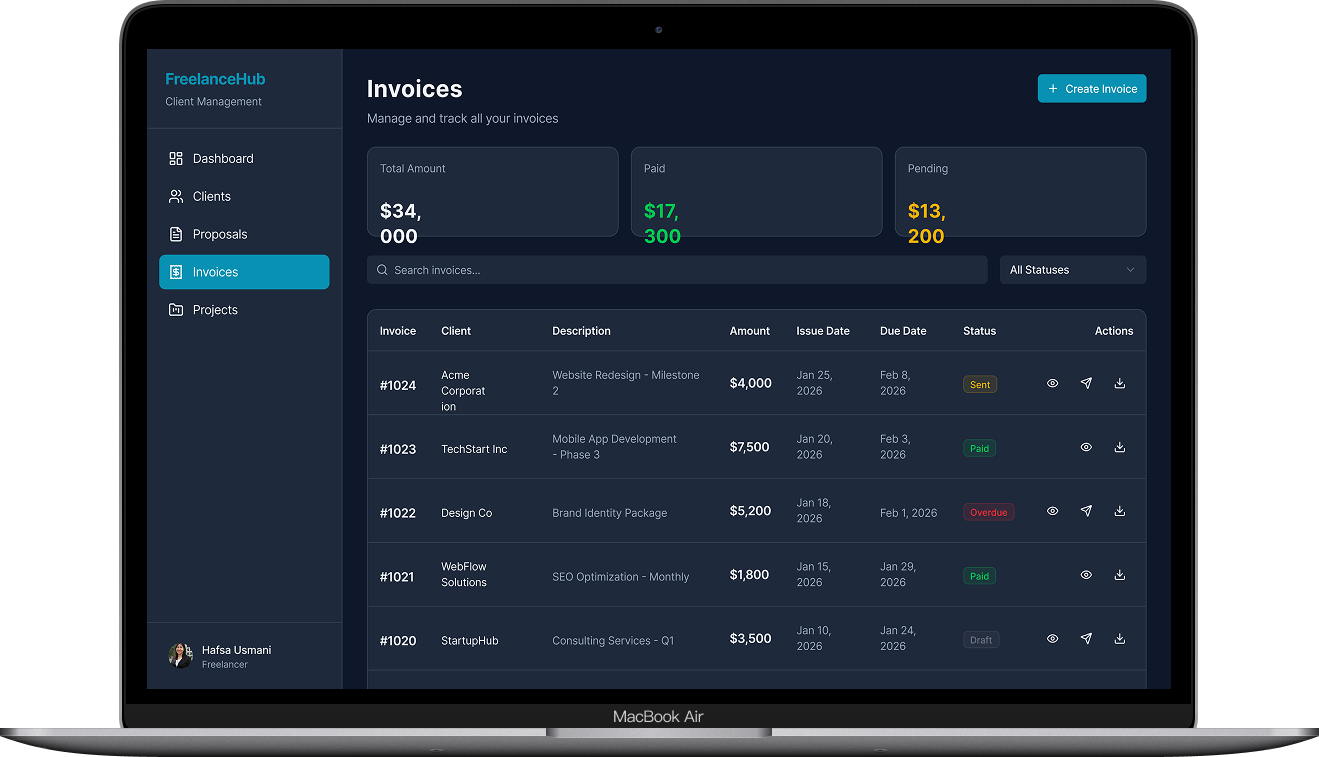
Invoice Manager
Visual status tracking: draft, sent, viewed, paid, overdue. Automatic payment reminders. Stripe integration for instant payments.
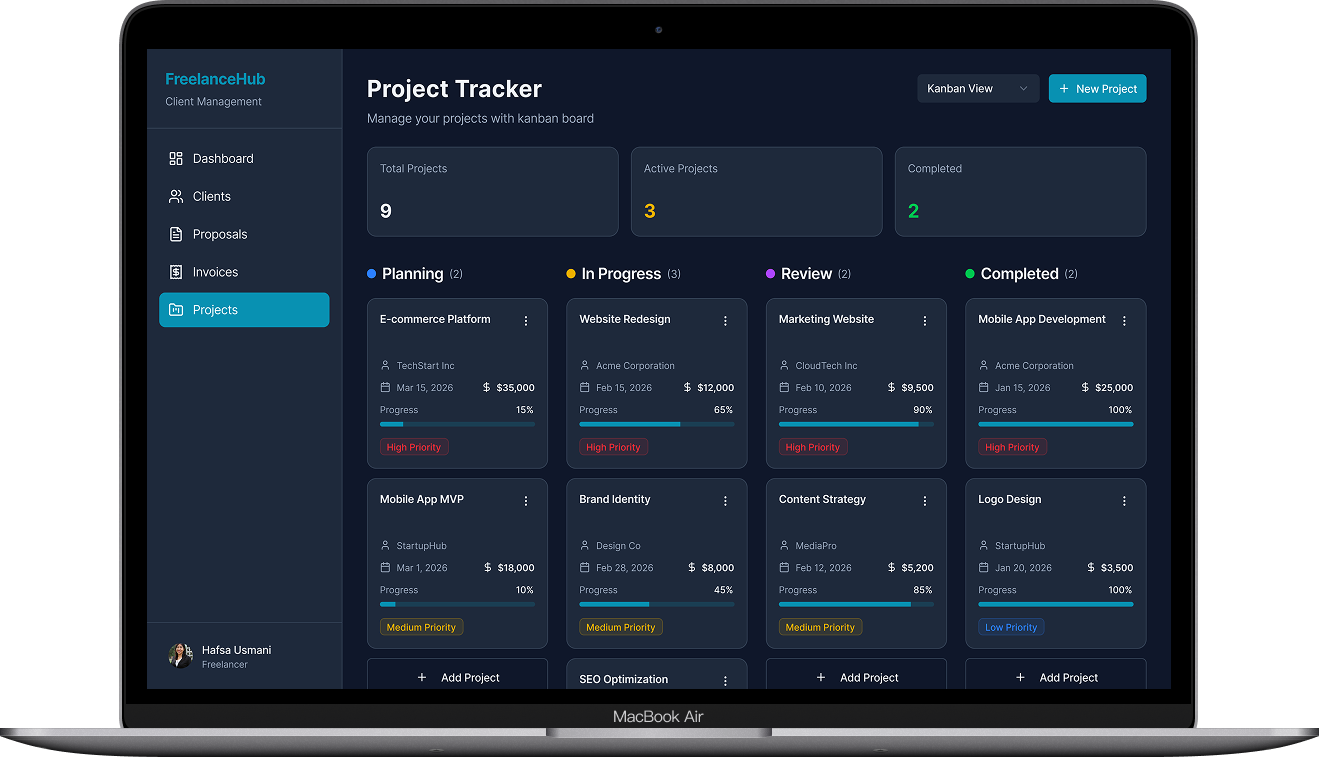
Project Tracker
Milestone-based progress tracking with time logging. Clients can view progress without freelancer having to send updates.
Visual Design
The visual language balances professionalism with approachability—serious enough for business, friendly enough for independents.
Projected Impact
Based on usability testing and user feedback, the design is projected to deliver:
Unified workspace eliminates context-switching between tools
Automatic reminders and one-click payments reduce delays
High satisfaction in prototype testing with 6 freelancers
What I Learned
B2B ≠ Boring
Professional tools can still be delightful. Micro-interactions and thoughtful details build trust and reduce the tedium of admin work.
Reduce decisions, not features
Power users need advanced features, but smart defaults mean most users never have to configure anything.
The client is also a user
Freelancers' clients interact with proposals and invoices. Their experience reflects on the freelancer's professionalism.
What This Shows About Me
This project demonstrates my ability to design complex B2B workflows that balance power-user needs with approachable simplicity.
B2B Product Thinking
Designed for professional workflows with multiple user types (freelancers and their clients) and complex information architecture.
Systems Design
Created a cohesive design system with reusable components, consistent patterns, and scalable architecture.
User Research to UI
Translated qualitative research insights into concrete design principles and measurable interface decisions.
End-to-End Ownership
Led the complete design process from problem definition through high-fidelity prototypes and usability validation.