FitStart
A beginner-friendly fitness application focused on building habits, not tracking metrics.
The Challenge
Staying fit is one of the most common goals — and one of the hardest to sustain. Beginners often start strong but lose motivation when progress feels unclear or tracking becomes tedious.
Most fitness apps focus on performance metrics or advanced training, not on helping beginners stay consistent, confident, and motivated. Design an experience that prioritizes habit-building over hitting PRs.
My Contributions
Research
Design
Validation
How I Made an Impact
Reframing the Goal
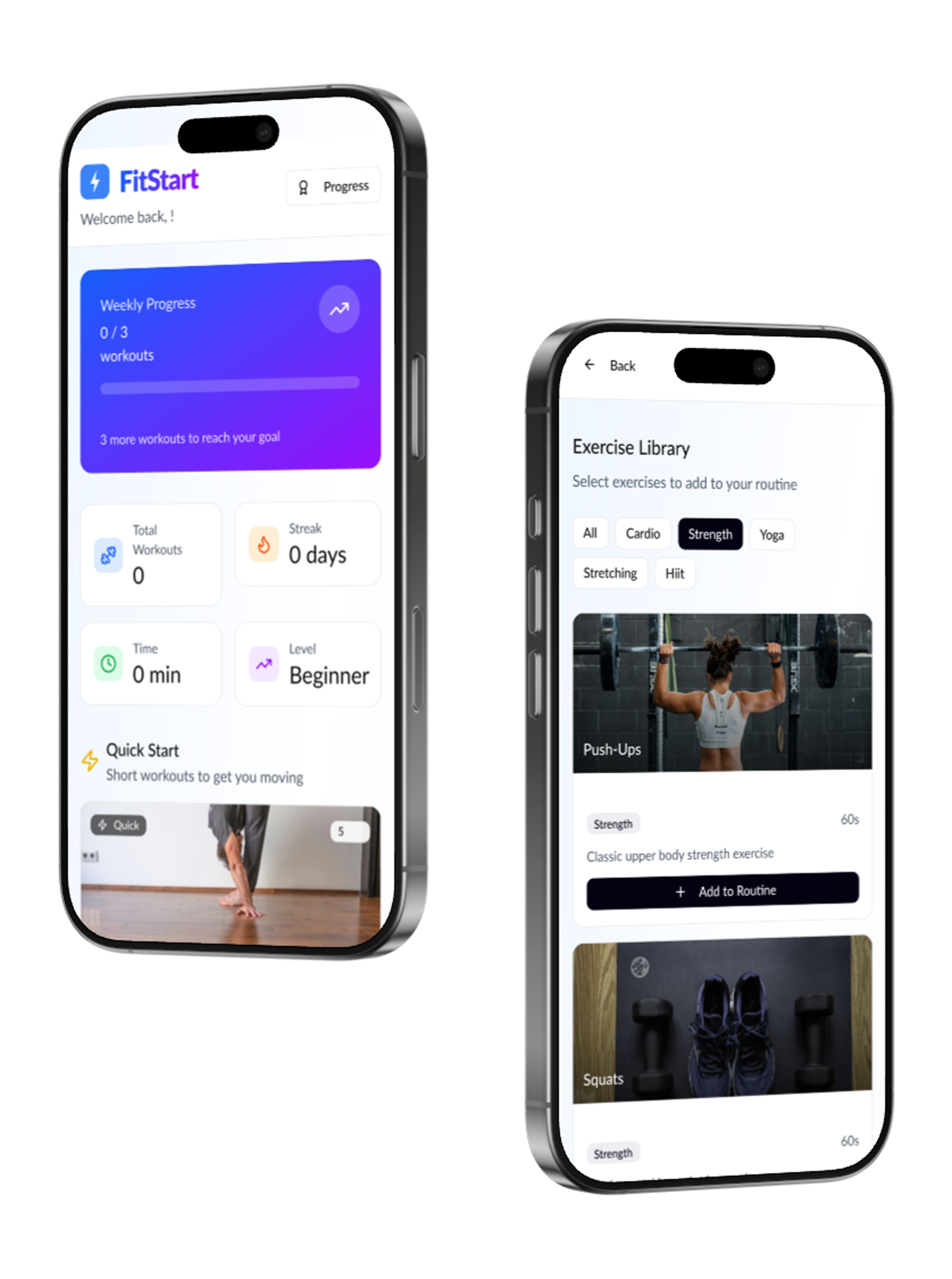
Shifted focus from performance metrics to habit-building. Success isn't measured in pounds lifted—it's measured in days of showing up.
Reducing First-Time Friction
Created simplified five-step onboarding that aligns users with personalized goals instantly. No account required to browse—reduce friction to first value.
Designing for Motivation
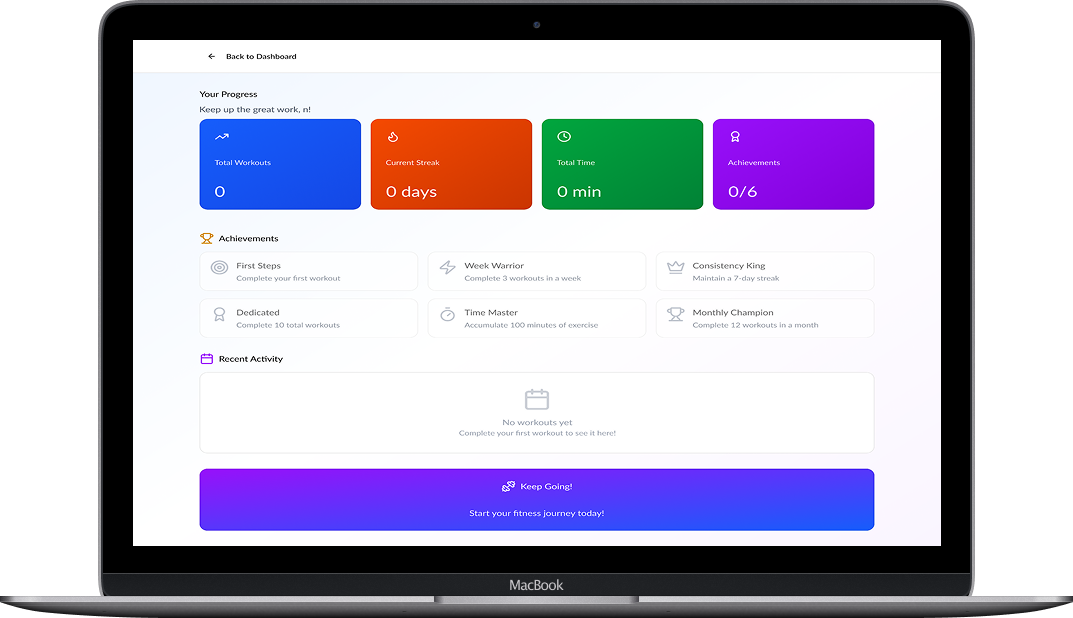
Built gamified progress systems promoting intrinsic motivation through streaks, milestones, and gentle celebrations rather than competitive leaderboards.
Cross-Device Consistency
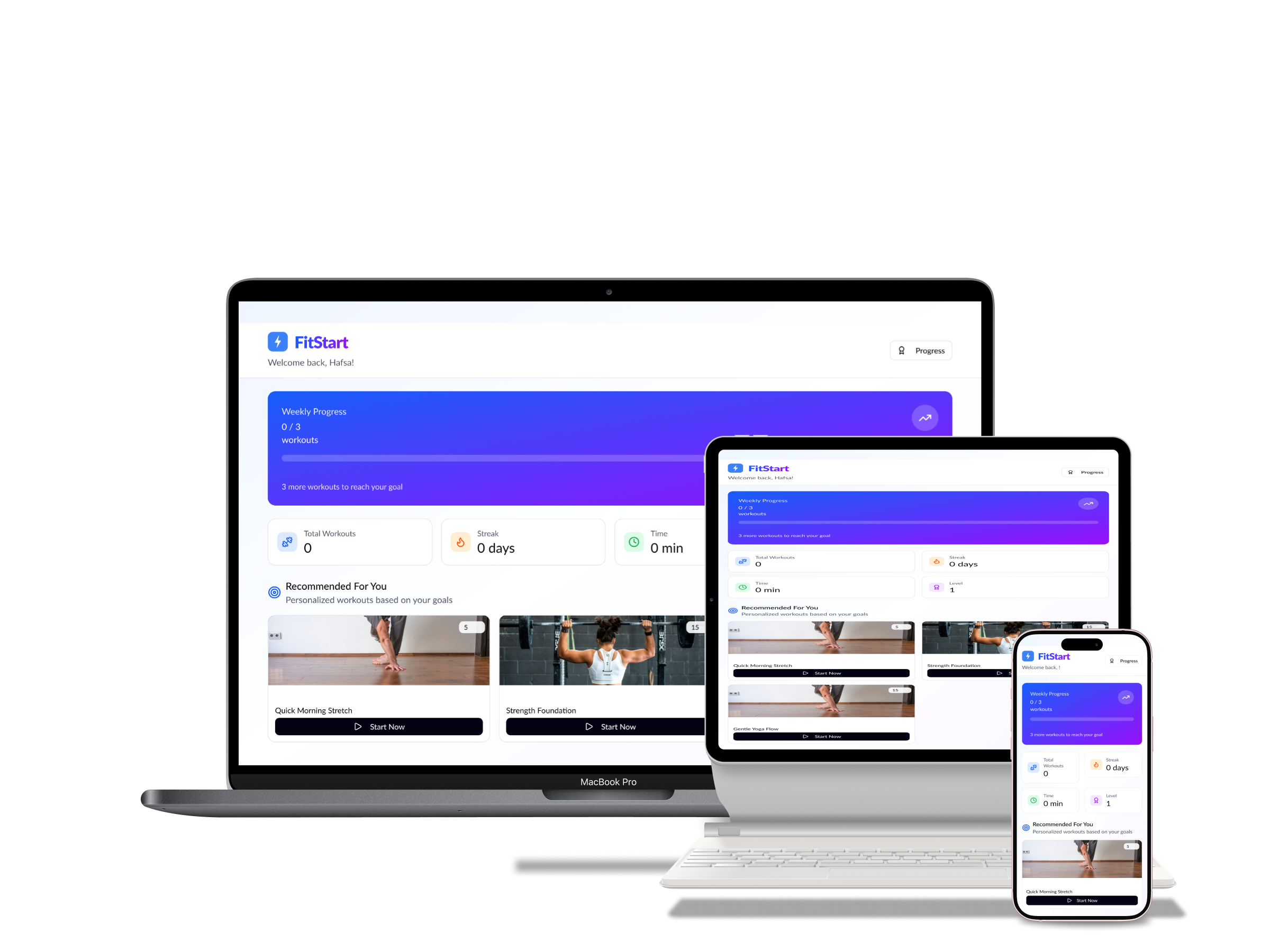
Established responsive design system ensuring users can plan, track, and follow workouts seamlessly across mobile, tablet, and desktop.
Research & Discovery
I conducted user interviews, surveys, and analyzed competitor apps to understand the pain points and needs of fitness beginners.
Intimidation factor
Users felt overwhelmed by complex workout terminology and equipment requirements
Progress paradox
Tracking was either too detailed (overwhelming) or too vague (unmotivating)
Assumption gap
Most apps assumed users already had fitness habits—onboarding didn't help form them
Scheduling afterthought
Reminders and scheduling were secondary features, not core to the experience

Rebecca
The Motivated Beginner · Age 28Rebecca wants to lose weight and get in shape but struggles with consistency. She needs an engaging, beginner-friendly app with scheduling features that fit her busy lifestyle.
Build sustainable fitness habits without feeling overwhelmed
Has tried multiple apps but always abandons them within weeks
Design Evolution
Key screens evolved through a three-stage fidelity approach. Drag the slider to compare before and after:
Welcome Screen
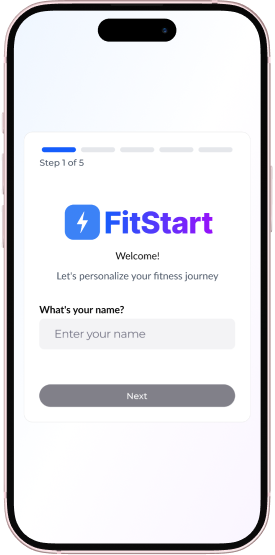
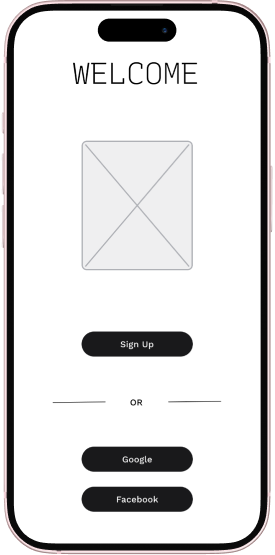
First impressions matter—from basic wireframe to an inviting, confidence-building welcome experience.
Home Screen
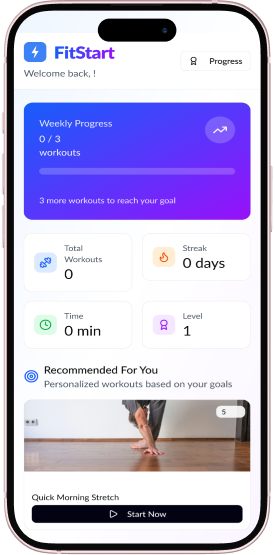
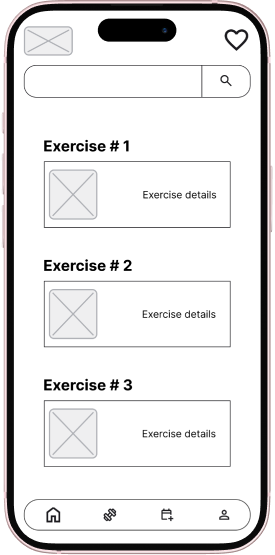
The central hub evolved into a clear, motivating dashboard with progress at a glance.
Design Philosophy
Three core principles guided every design decision:
Habit-First Design
Every feature supports forming habits, not just tracking metrics. Progress is measured in consistency, not performance.
Calm Confidence
Clear hierarchy, supportive colors (blue, purple, green), and minimal clutter. The palette communicates trust, progress, and vitality.
Progressive Complexity
Start simple, reveal depth gradually. Beginners see what they need; advanced users discover more over time.
Visual Direction
Once the structure was set, I developed a moodboard to define the visual tone: energetic yet calm, modern yet friendly.
Responsive Design
A major part of this project was designing for three key breakpoints, each optimized for specific use cases:
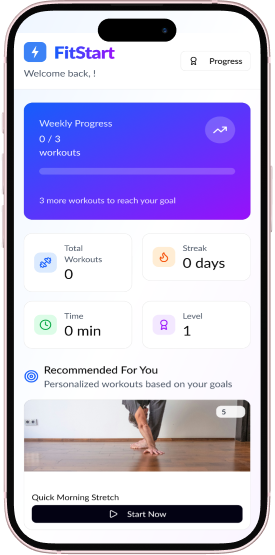
Mobile
1 Column Layout- Quick actions
- Thumb-friendly patterns
- Simplified navigation
- Workout reminders
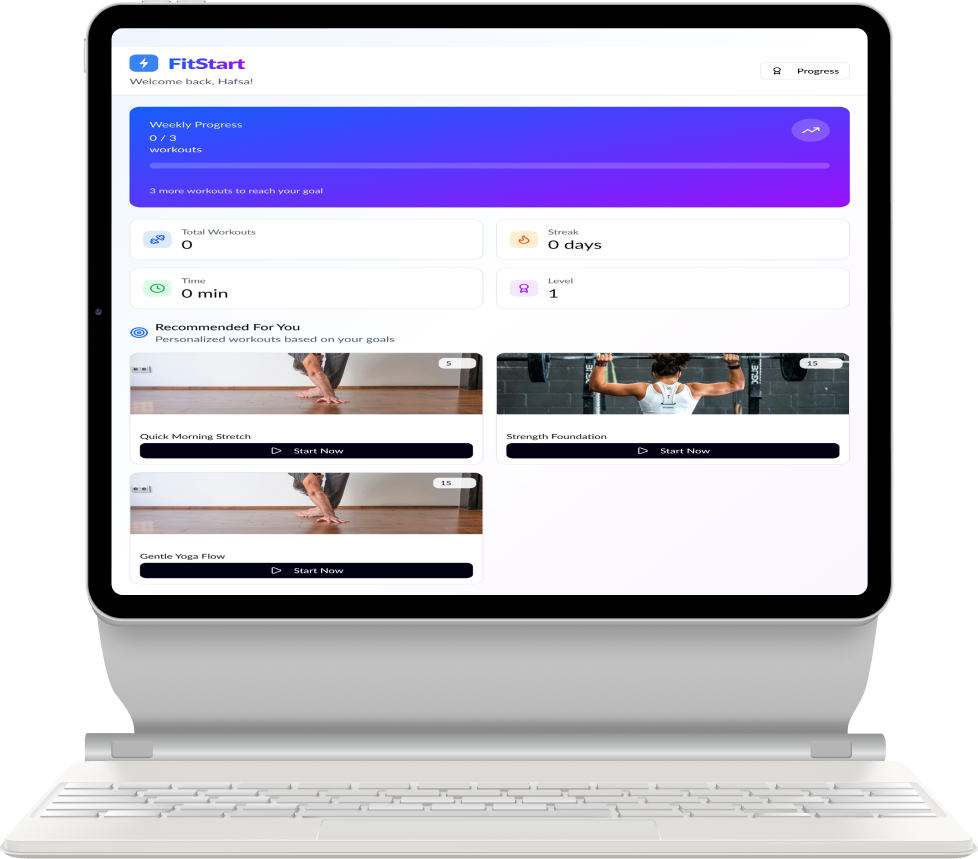
Tablet
2 Column Layout- Expanded visual content
- Guided routine display
- Larger touch targets
- Side-by-side layouts
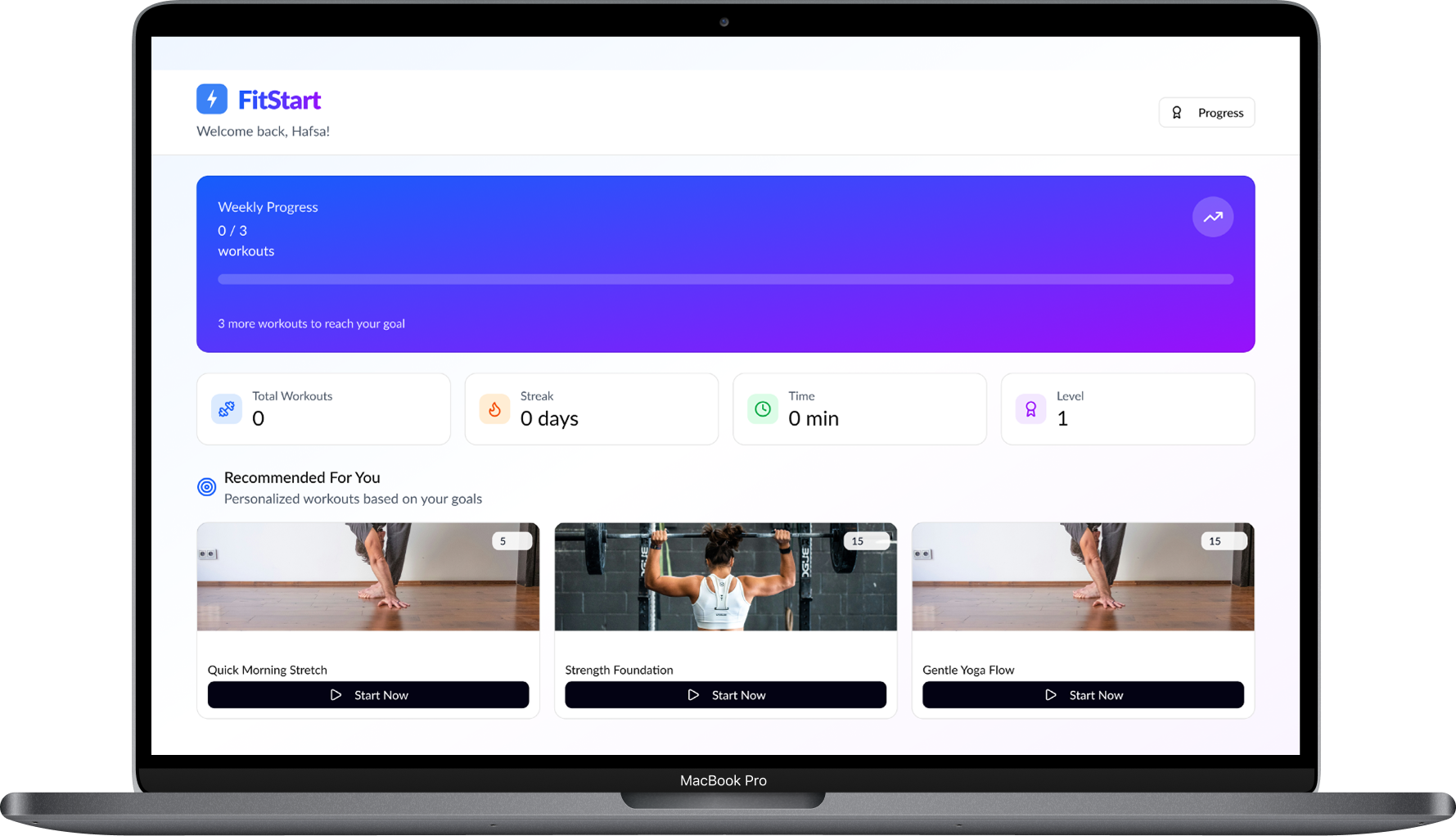
Desktop
3 Column Layout- Multi-column dashboard
- Detailed progress insights
- Weekly planning view
- Long-term analytics
Deliverables
A key part of FitStart's habit-first approach is a simplified five-step onboarding flow that personalizes the experience from the very first interaction. Instead of overwhelming users with forms or skipping personalization entirely, this flow gathers just enough information to create a tailored starting point.
Onboarding Flow
The onboarding asks users five simple questions to build their personalized fitness plan:
Your Name
A personal touch from the start—addressing users by name throughout the app builds connection and accountability.
Skill Level
Beginner, intermediate, or advanced? This determines workout intensity and complexity recommendations.
Daily Time Available
How much time can you dedicate each day? 10 minutes, 30 minutes, or an hour—workouts adapt to fit real schedules.
Workout Interests
What do you enjoy? Cardio, Yoga, HIIT, Pilates, Strength Training—selecting preferences ensures engagement from day one.
Fitness Goals
What are you working toward? Weight loss, muscle building, general wellness, flexibility—goals shape the entire journey.
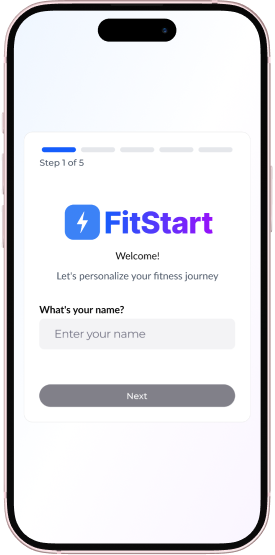
Name
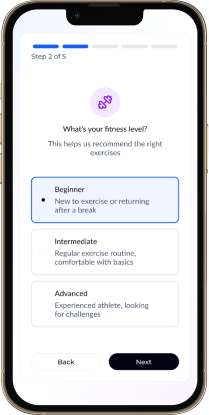
Skill Level
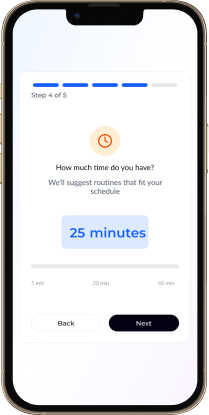
Daily Time
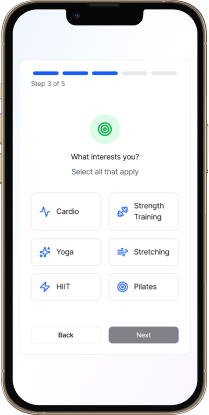
Interests
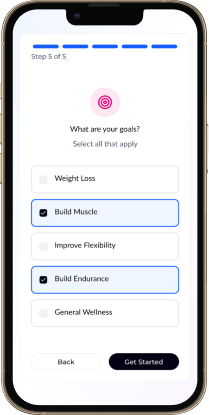
Goals
First Impressions Matter
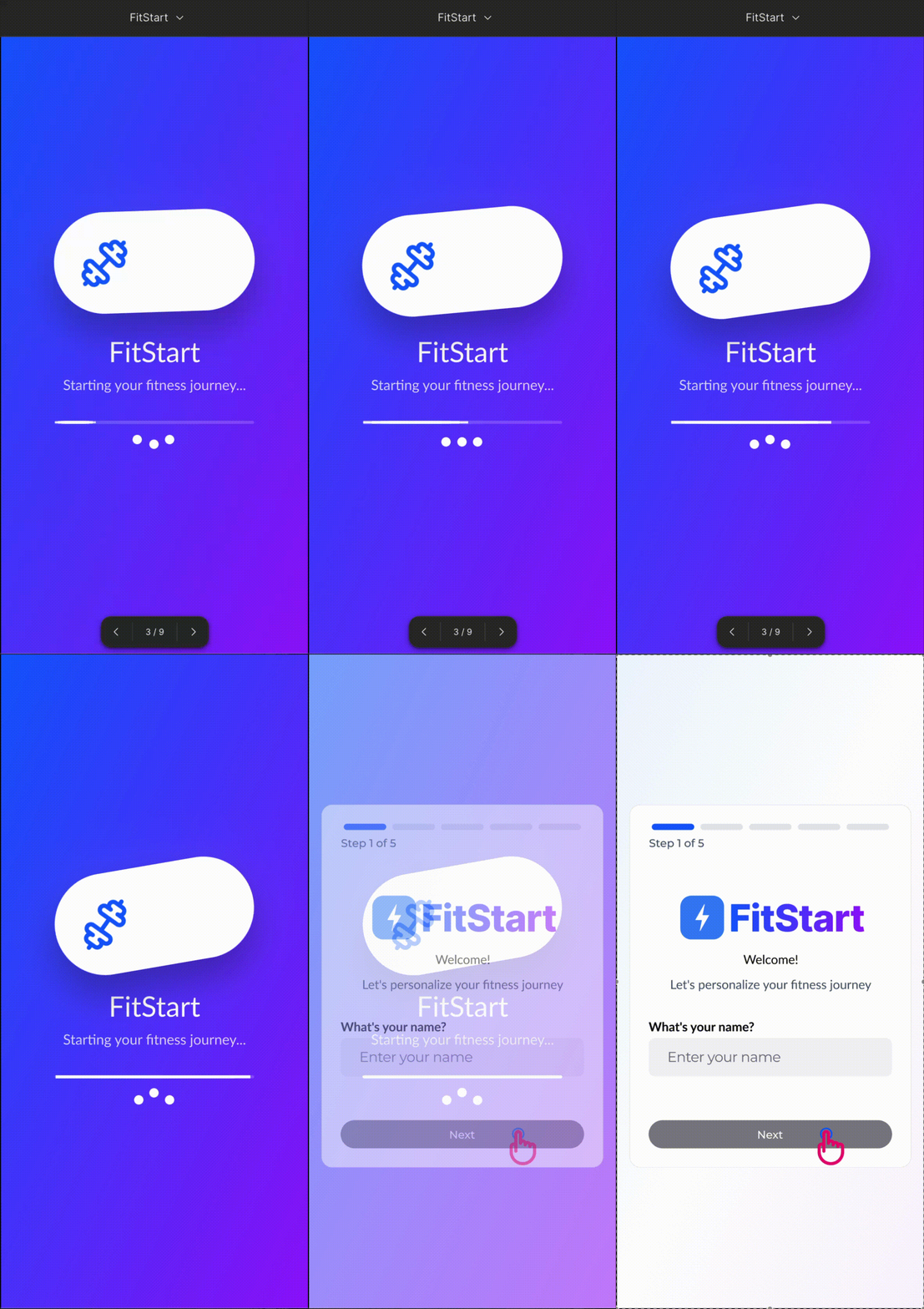
Before users even begin onboarding, they're greeted with a branded splash screen animation that sets the tone for the entire experience. This brief moment of delight establishes FitStart's personality—energetic yet approachable—while the app loads in the background.
The animation uses the brand's signature purple gradient with smooth, fluid motion that hints at the journey ahead: progress, momentum, and transformation.
Results
Usability testing with target users showed significant improvements:
Full accessibility across all screens and interactions
Compared to competitor app benchmarks
Projected routine adherence based on user feedback
Conclusion & Learning
"Designing this fitness web app reinforced one key insight: people don't just need workouts—they need clarity, motivation, and a sense of progress."
Habits over metrics
Fitness apps should help users build routines, not just track data. Consistency beats intensity.
True responsiveness matters
Designing for three breakpoints ensured users could plan, track, and follow workouts seamlessly across devices.
Reduce friction to first value
No account required to browse. Get users to experience value before asking for commitment.
What This Shows About Me
This project demonstrates my ability to design habit-building experiences—not just interfaces, but systems that help users stay consistent through simple flows, supportive visuals, and intuitive progress tracking.
Clear, Motivating Fitness Experiences
Designed interfaces that inspire action rather than overwhelm, focusing on emotional needs alongside functional requirements.
Responsive, Cross-Device UI Systems
Created a cohesive experience across mobile, tablet, and desktop, ensuring each device serves its optimal use case.
Simplified Complex Flows
Transformed multi-step processes into intuitive, goal-driven interactions that guide users toward success.
End-to-End Product Design
Led the complete design process from research to final prototypes with a user-first mindset at every stage.
FitStart in Action
See how FitStart brings together personalized onboarding, habit tracking, and motivating progress feedback into a seamless fitness experience.